
Introduction
An Intelligence Hub pipeline can carry data in two commonly used places: event.value and event.metadata. For example, JSONata stage is used to run expressions against either event.value or event.metadata, but it places the transformation results back into event.value.
In version 4.3, the "Transform" stage was renamed to the "JavaScript" stage. An additional "JSONata" stage was added to the "Transform" category.
The purpose of the JavaScript stage is to:
- Modify the event's value
- Extract and create metadata
- Incorporate additional information as the event moves through the pipeline
Storing data in metadata is not a workaround; it is the supported and recommended design approach.
When to Store Something in Metadata
For 'Best-Practice' sake, there are two recommendations when storing values in event.metadata based on scenarios
The pipeline receives "setup parameters" up front that are reused throughout the pipeline. If a user provides a set of parameters at the start (ID, filenames, topics), and those values are referenced across multiple later stages, store them once in metadata. This keeps later-stage expressions simpler because you consistently reference event.metadata.
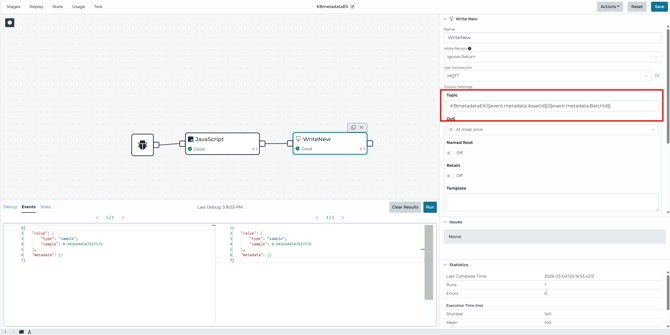
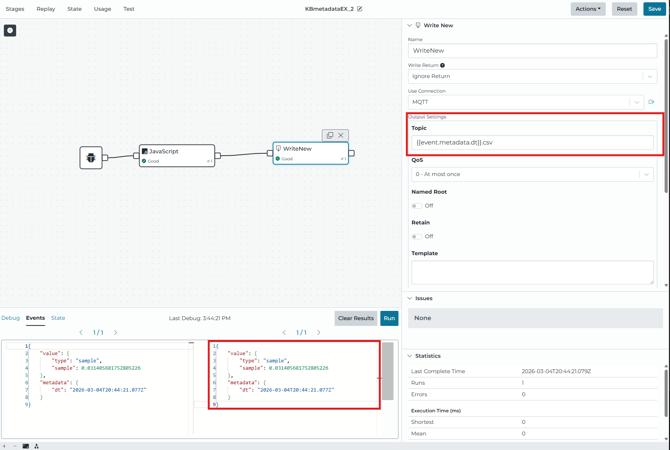
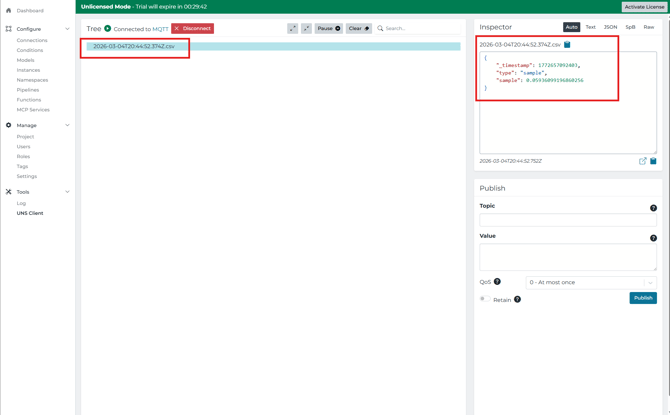
If the pipeline needs to preserve a specific value (or derived value) for a later time, metadata is a clean place to 'pin' it. This is demonstrated in HighByte when writing directly for files: generating a timestamp once, assigning it to event.metadata, and then using it later when building the output filename.
How to Implement the Pattern
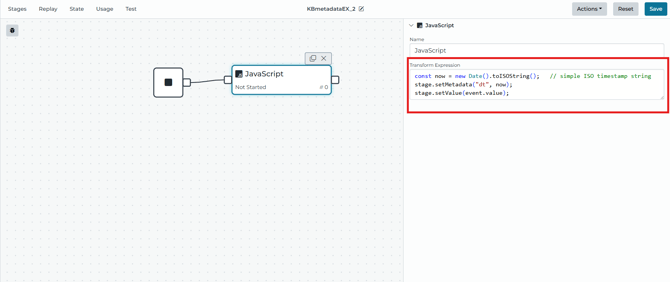
For the recommended approach, use a JavaScript stage near the beginning of the pipeline to set the metadata keys to reuse, then reference them later in the downstream stages.
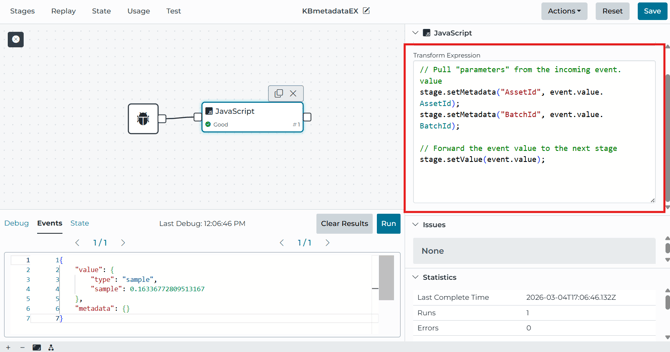
This example above shows a JavaScript expression calling stage.setMetadata(...), and then sets the downstream value with stage.setValue(event.value).
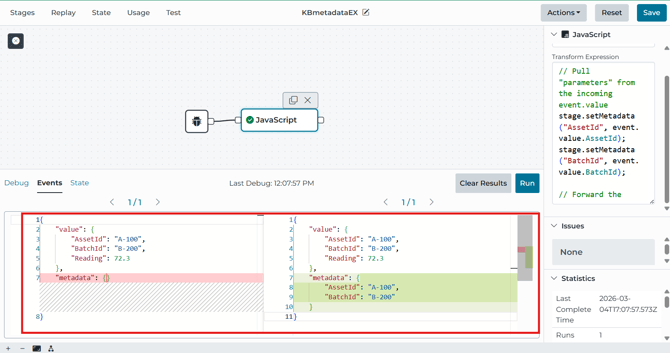
What to Expect to Avoid Issues
If your JavaScript stage calls stage.setValue() multiple times after creating multiple downstream events, then the metadata may not vary for each event that was cached. The final metadata values are applied to every queued event from that stage execution. If different metadata is needed for each event, the pipeline will need to be configured such that each event may be produced and then metadata may be set per event. A Breakup Stage may help to accomplish this.
Validation Steps
- Run the pipeline in Debug Mode to confirm the metadata keys exist where expected
- Select a downstream stage and verify that references resolve correctly
- EX: event.metadata.
is being used in the correct property
- EX: event.metadata.
Related Material