
What Does This Article Cover?
This article steps through a solution that builds a HighByte namespace by reading PI asset metadata. The solution uses a pipeline to create the namespace through the HighByte Project API. During creation, assets are set up to read the asset’s current value, and any attributes that contain points are set up to read the current point value. Once defined, users can interact with the PI Asset Framework hierarchy using i3X Explorer and the i3X API. The structure, current values, and historical point values can all be accessed through i3X Explorer. The i3X API provides the same capabilities and can also write point values.
Note: This article assumes the reader has already completed a detailed review of the i3X Starter Solution article. See the link at the bottom of this article.
Configuration
Here is a download of the configuration used in this article. Download the configuration and import it into Intelligence Hub.
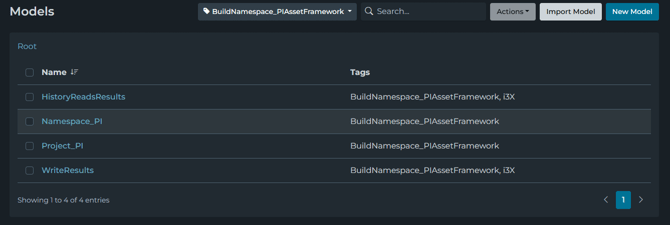
The configuration has four models.
- HistoryReadResults defines the model, based on the i3X standard, for returning historical read results.
- Namespace_PI defines the model for a namespace node based on the Project API. It is a child object used in the Project_PI model.
- Project_PI defines the model for importing a namespace based on the Project API.
- WriteResults defines the model, based on the i3X standard, that indicates whether a write was executed successfull.
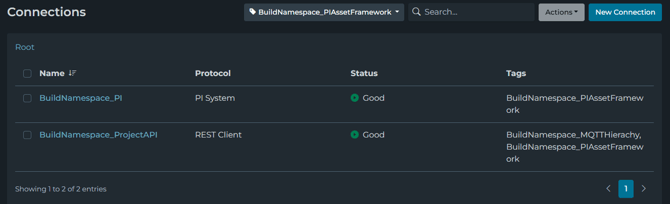
- BuildNamespace_PI is the PI connection used to read the PI Asset Framework hierarchy and other inputs used in this solution. Update this connection to connect to your PI Agent.
- BuildNamespace_ProjectAPI is used to import the namespace through the Project API. To use this solution, update the Bearer Token on the connection overview.
The configuration has three pipelines.
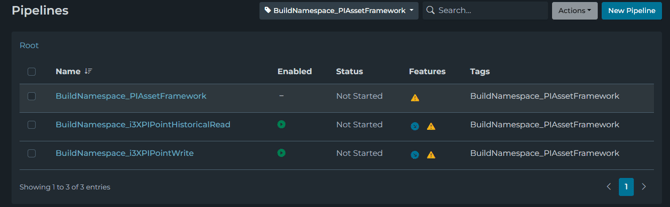
- BuildNamespace_PIAssetFramework reads the PI Asset Framework hierarchy and creates a HighByte namespace based on it.
- BuildNamespace_i3XPIPointHistoricalRead reads PI point history values, models the data using HistoryReadResults, and returns the history to the requesting application through i3X.
- BuildNamespace_i3XPIPointWrite writes values to PI points and models the acknowledgment message returned to the i3X client. The result is formatted using the WriteResults model.
Update i3X Service
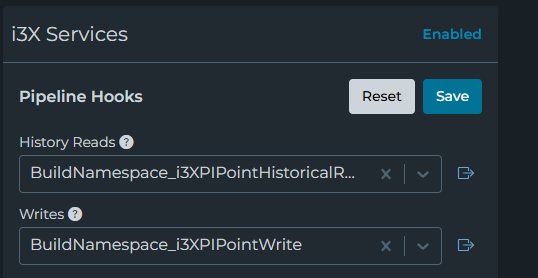
The i3X service uses pipeline hooks to provide capabilities defined in the i3X standard. The pipeline hooks are configured under Servers / i3X. Set the History Reads pipeline to BuildNamespace_i3XPIPointHistoricalRead and the Writes pipeline to BuildNamespace_i3XPIPointWrite, then press Save.
Creating Namespace
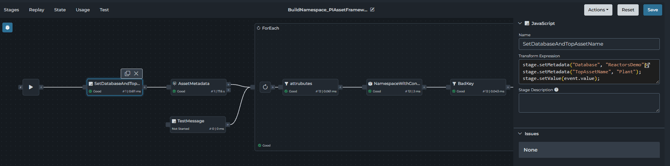
The BuildNamespace_PIAssetFramework pipeline creates the namespace. Two parameters, Database and TopAssetName, are added to the metadata in the first stage. These are used when reading the AssetMetadata input to query the assets and their metadata. A loop stage then iterates through the results to build the namespace nodes. In addition to the assets, each asset’s attributes are parsed. Any attribute that contains a point is also added to the namespace using the attribute name, and its point name is added to the node metadata. The namespace nodes are modeled using the Namespace_PI model.
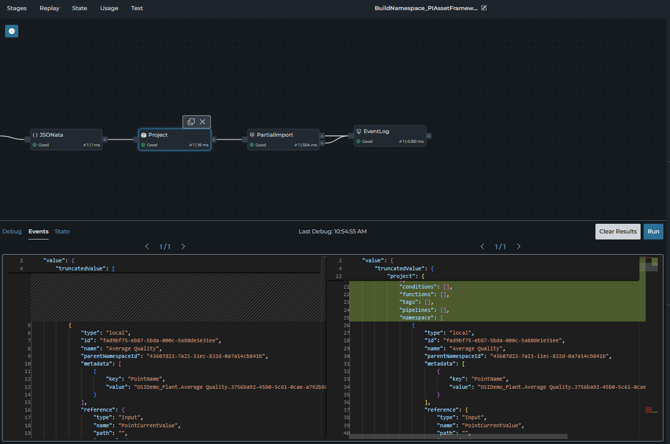
After iterating through each asset, the array of namespace nodes is modeled using the Project_PI model, which is the format needed to import namespaces through the Project API. Once modeled, the message is written to the BuildNamespace_ProjectAPI connection.
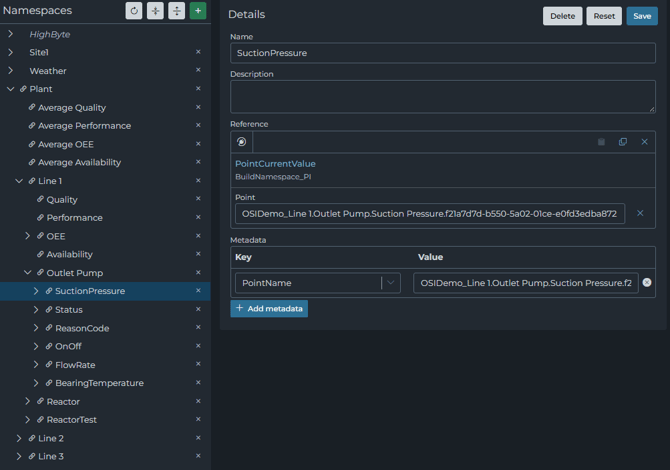
The result is a new namespace. Each asset in the hierarchy references an input on the PI connection for AssetCurrentValue.
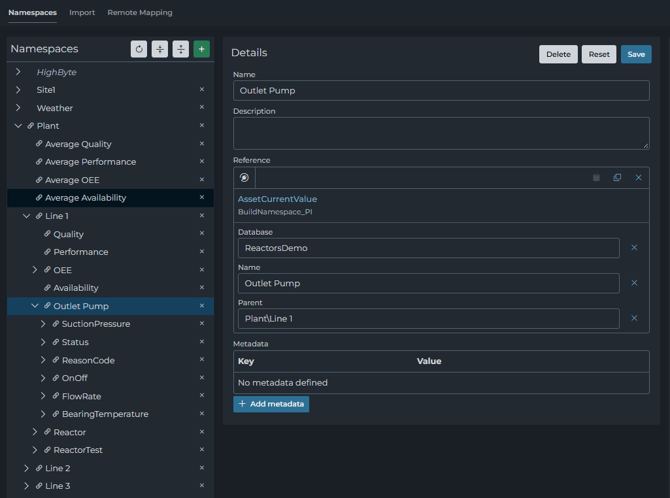
Each attribute in the hierarchy references an input on the PI connection for PointCurrentValue, and the attribute’s point name is set in the node’s metadata.
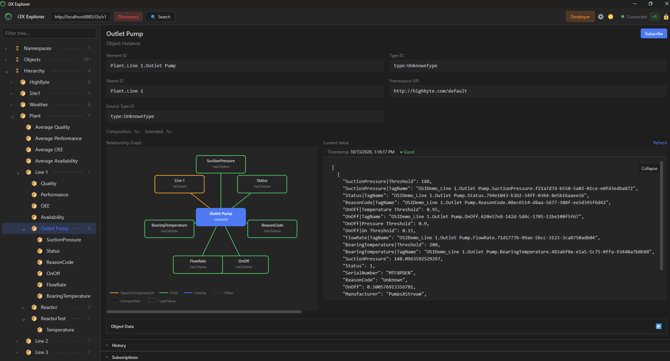
Hierarchy in i3X Explorer
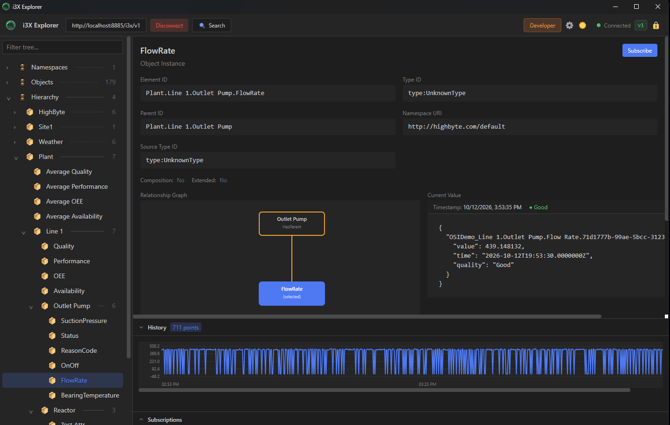
The PI asset hierarchy should be available under Hierarchies in i3X Explorer. If you select an asset node, AssetCurrentValue is read and displayed. In this example, Outlet Pump is an asset, and the current value of each attribute is displayed in the Current Value field.
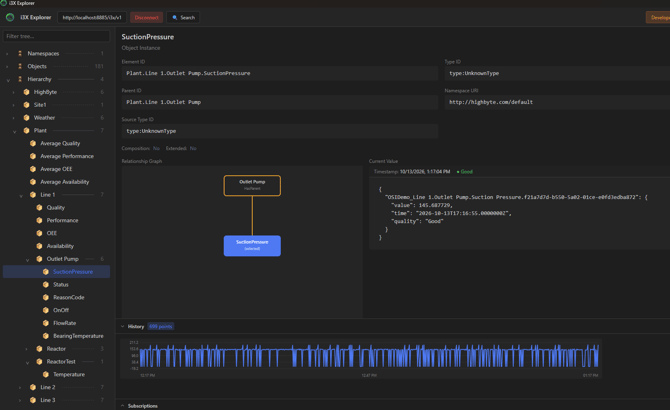
If you select an attribute, the current PI point value is displayed in the Current Value field. Because it is a PI point, the last hour of history is also displayed when you select the Load History button.
Writes using Postman
To update a point value, select objects / value / Update Values of Objects from the folder structure. Specify a valid elementId (e.g., “Plant.Line 1.Outlet Pump.SuctionPressure”) along with the value, quality, and timestamp, then press Send. If the update succeeds, a success response is returned.
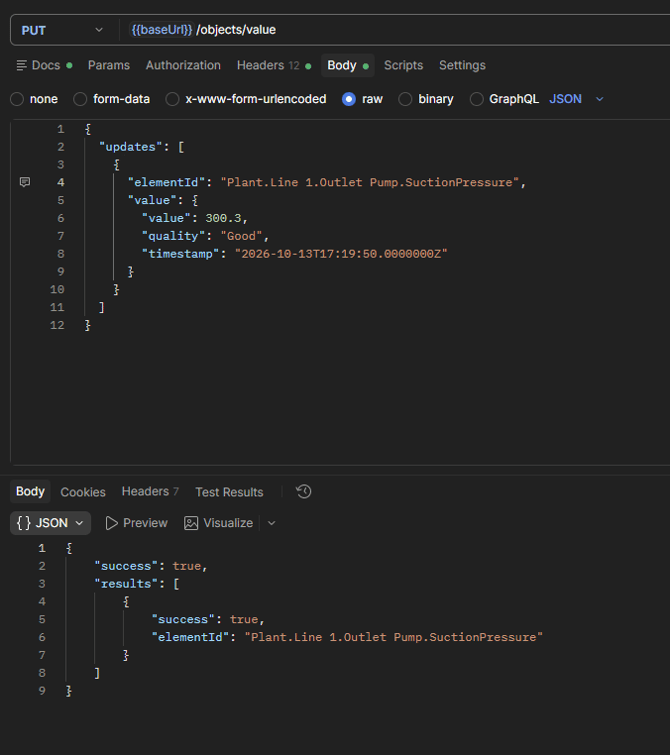
If you go back to i3X Explorer and refresh the history, the update is reflected in the history of the point associated with the attribute.
