
Introduction
HighByte Intelligence Hub is a global standard application for Industrial DataOps. Intelligence Hub is accessed and configured with a web UI that is accessible over a standard web browser. An organization has full control over where the Intelligence Hub is installed, how many installations are hosted, and how those instances are hosted on the network. One organization may have several Intelligence Hubs that could be accessed independently, or as a cluster. Any given team manager or a support IT team will be the best resource for an individual to find which hostname or URL they should use to access Intelligence Hub for their projects.
Reaching the Intelligence Hub Webpage
The company HighByte Inc hosts Highbyte.com as a corporate webpage, but this does not provide access to any customer organization's Intelligence Hub.
Every organization will host Intelligence Hub in their own way - usually supported by an IT group as well. This group, or a project manager will likely be able to provide a Uniform Resource Locator (URL) to access the relevant Intelligence Hub. This may take the form of either a numerical IP address, or a domain name. This screenshot depicts Intelligence Hub hosted locally at 127.100.146.35. The ":45245" portion is called a "port number" which is an extension of the URL. This may or may not be a necessary portion of the URL, depending on how Intelligence Hub is hosted. Once the Intelligence Hub webpage is reached, Intelligence Hub will add to the URL including characters like "/ui/index.html#/login?return=/"
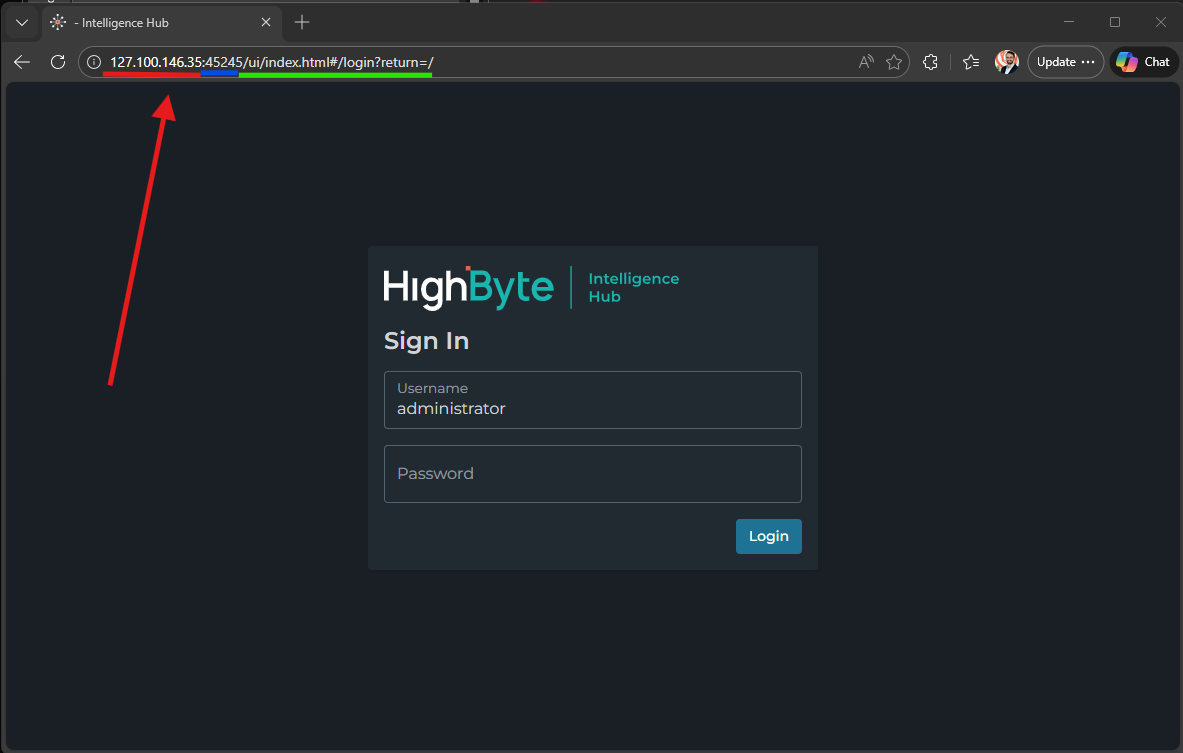
By default, Intelligence Hub will bring the user to a login page.
An organization may have many installations of Intelligence Hub, each of which may host different DataOps projects specific to different teams. Users may have to log into a specific instance of Intelligence Hub to perform their duties.
Login Methods
Intelligence Hub supports multiple Login methods: HighByte Login, Active Directory, and SAML2. HighByte Login is available by default, but the Intelligence Hub server will display multiple options if they are available. The user will select from the menu which login method they would like to use. If neither SAML2 nor Active Directory is configured and enabled for an instance of Intelligence Hub, it will bring the user directly to the HighByte login dialogue (pictured above)
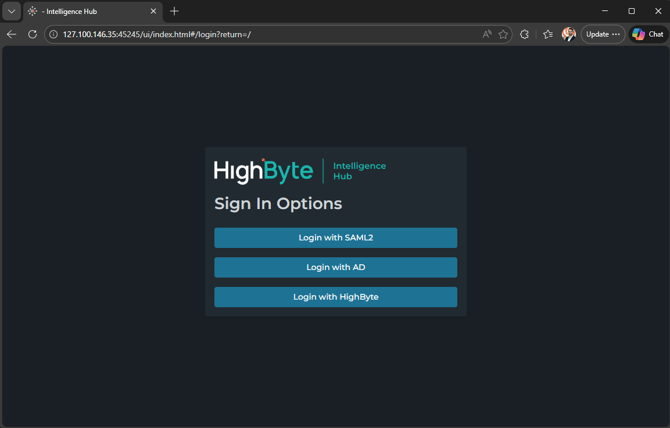
It is possible but unlikely that any organization will configure BOTH Active Directory (AD) integration AND SAML2.
Logging In with HighByte
HighByte Login is the default login method for Intelligence Hub. A default user is created with the first installation and named "administrator." The administrator user has no password by default. It is imperative that this user be assigned a password by the HighByte administrator, or that this user be deleted for security purposes.
For security and stability purposes, the "administrator" user password should be set or the user deleted before deploying Intelligence Hub for production.
"HighByte Login" credentials are usernames and passwords that are specific to HighByte Intelligence Hub. A system or project owner will likely be the one to generate these credentials. Users are usually generated with a temporary password that the user will have to change on their first login.
Users can be granted roles or individual claims to resources, groups or resources, or types of resources. These are configured per-user by an administrator in Intelligence Hub.
Logging In with Active Directory or SAML
SAML2 and Active Directory are two different methods for automatic logins, and they are configured very differently, but they have a similar goal and a similar end-effect for users: users are able to log in with existing usernames and passwords already managed elsewhere in their organizations.
If Intelligence Hub is so configured, a user may press either of these buttons and enter their organization credentials to gain access to the Intelligence Hub platform. A project owner or IT group should be able to inform a user of which type of credential is already established to use for this login.
Permissions granted in Intelligence Hub are defined by special groups configured in the authentication method of choice aligning by name with roles defined in Intelligence Hub.
What Next?
A user may begin to learn about Intelligence Hub through the Zero to Pipeline video series, or the Getting Started section of the HighByte Knowledge Base. The HighByte User Guide also provides documentation on how to configure Intelligence Hub features and components.