
What this Article Includes
Paging is a pattern for reading large result sets in smaller chunks rather than pulling everything into a single read. Each "page" is a slice of the table, and the pipeline keeps requesting the next slice until there is more data. The configuration here includes two paging examples, both built in Intelligence Hub. (Download).
Topics covered
- What paging is and why customers use it
- How the SQL query implements paging (Top and Skip)
- How the pipeline loops through pages using metadata and a While Stage
- a retry variation for unstable connections
- Practical considerations and common pitfalls
When to Use Paging
Customers typically introduce paging when a single read can return "too much":
- Performance and stability: returning hundreds of thousands of rows in one payload can increase memory use, execution time, and timeouts.
- Predictable workload: Paging enforces a fixed minimum number of rows per read.
- Downstream breakup: Many targets handle smaller messages more reliably than a single massive publish of events.
- Reduced pressure on system resources: even production-sized servers have a limit in RAM/CPU/Memory, and processing large payloads can cause issues regarding those things.
Should be noted that REST API is a also a good candidate for paging
Core Concepts
Paging needs two things to be able to work:
- A sort order (so "page 2" can be fetched)
- A mechanism that moves forward each loop (this can be an offset or "last seen" key)
- Top = page size (how many rows to fetch each time)
- Skip = offset (how many rows to skip during fetching)
Example: How the Input query pages data
The input in the uploaded project is called "OrderWithPaging" and it uses a SQL Server query pattern
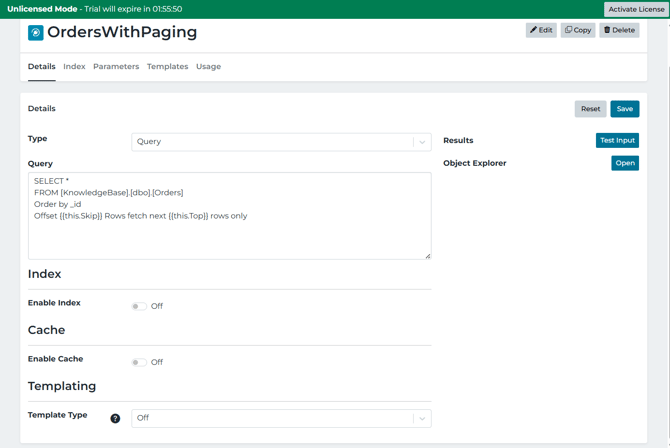
What is happening:
- ORDER BY_ID makes the results return in a specific order. If not there, "Offset 1500" would not mean anything because the database is free to return rows in any order.
- and are input parameters (templated into the query at runtime).
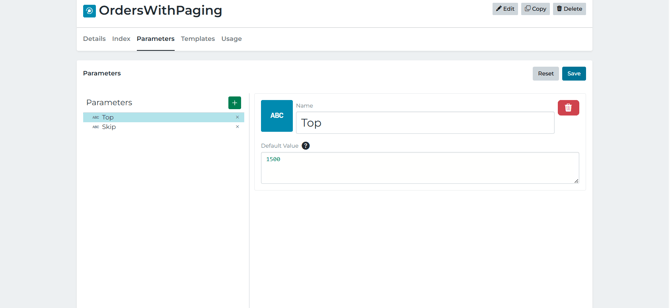
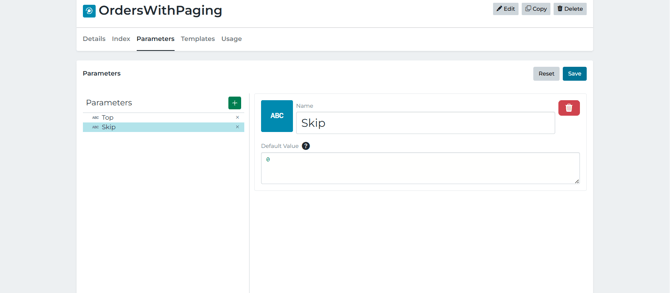
- The database is returning:
- page 1: skip 0 fetch Top rows
- page 2: Skip first 1
- page 3: Skip 2xTop, fetch Top rows
- (cycle repeats).... until the final page returns fewer than the Top rows
Example pipeline: PagingExample
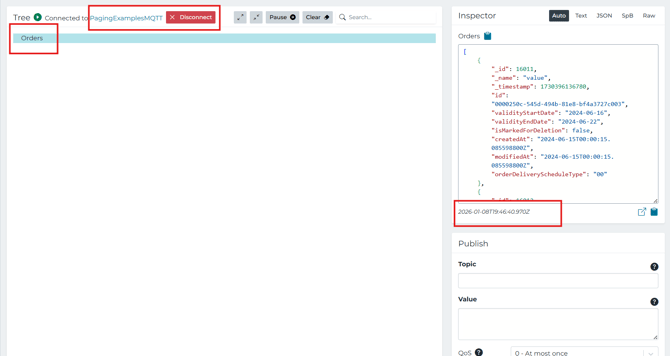
The pipeline demonstrates paging end-to-end and then publishing the accumulated results to MQTT
Stage 1: Set the page size once
SetTop1500 writes the page into metadata. This is because metadata is the clean way to carry "control variables" (Top, Skip, Flags) through the loop while keeping the data payload separate.
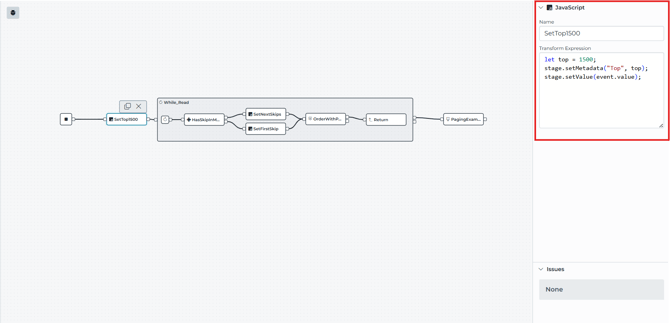
Stage 2: Loop until the "last page" is detected
The While_Read stage is configured with:
-
loopValue = ACCUMULATED (collect the returned value from each loop run into one growing list)
- A loop condition expression that decides whether another page should be fetched
The condition in the example:
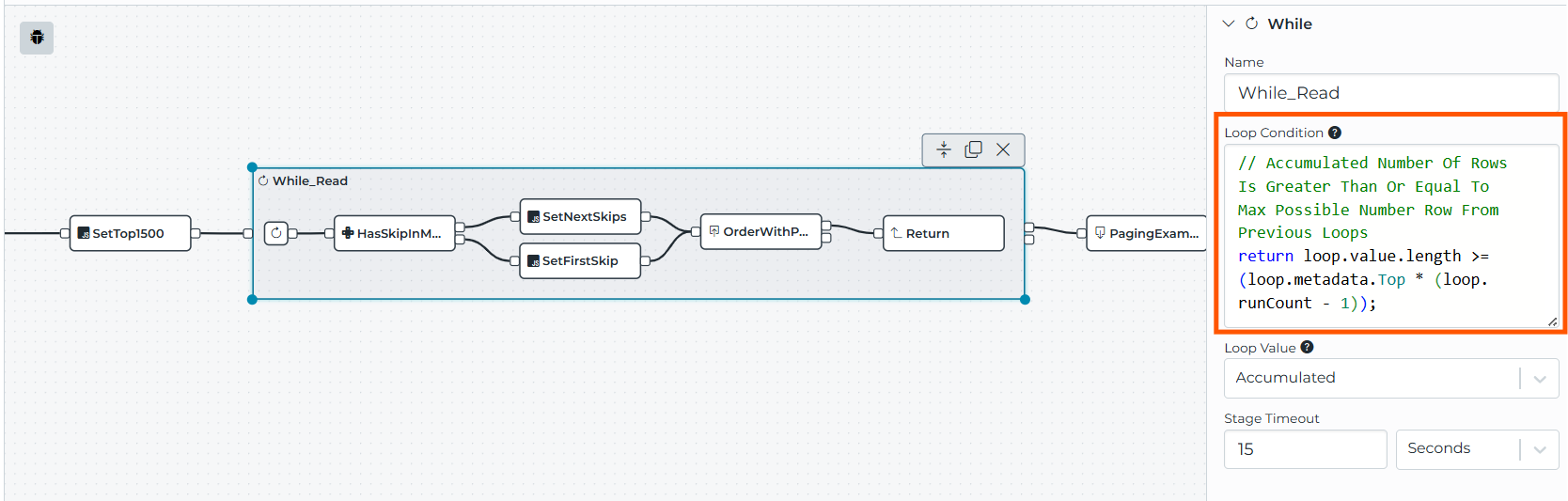
So the loop continues as long as the previous pages appear full. When a page comes back "short" (end of dataset), the accumulated count will fall behind the theoretical maximum, and the condition becomes false.
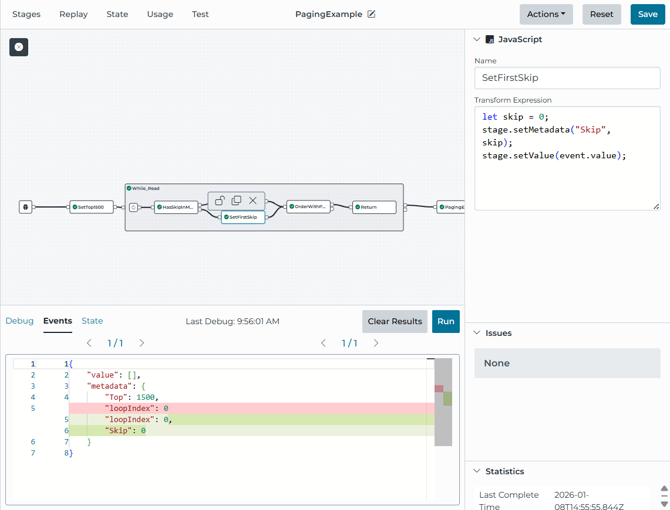
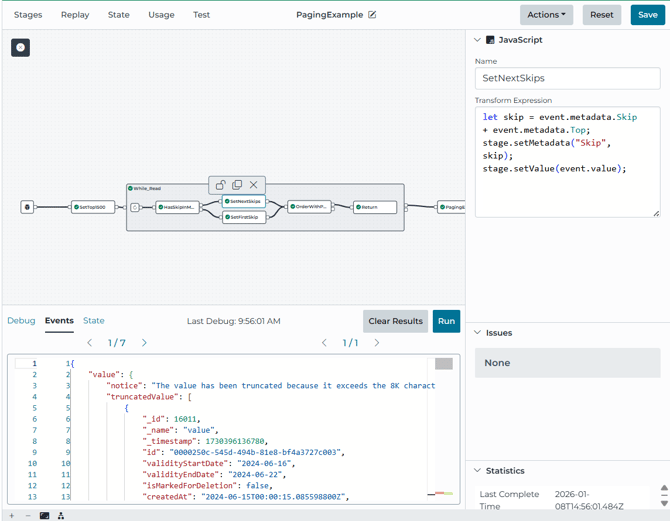
Stage 3: Initialize Skip on the first iteration, then increment it.
Inside the loop, the pipeline checks whether Skip already exists in metadata. These JavaScript stages are what keep the advanced paging.
-
If not present, set Skip = 0. (SetFirstSkip)
- If present, set Skip = Skip + Top. (SetNextSkips)
Stage 4: Read one page using the Input parameters
The OrderWithPaging Read stage calls the OrdersWithPaging Input and passes:
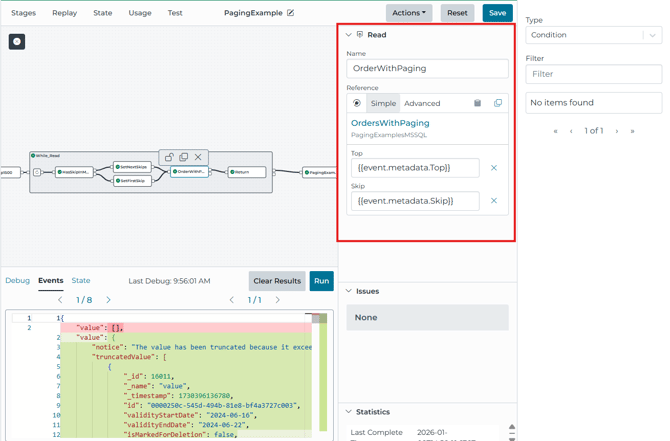
The mapping is the bridge between:
-
pipeline metadata (event.metadata.Top, event.metadata.Skip)
- query template variables (, )
Stage 5: Return the page to the While loop accumulated
The Return stage sends the page results back to the While stage, which accumulates them because the loop value mode is set to Accumulated.
Stage 6: publishing the final accumulated array
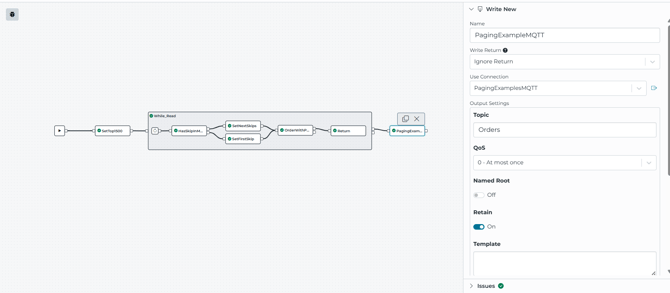
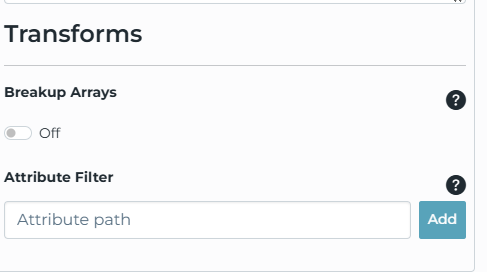
After the loop finishes, the pipeline publishes to the MQTT topic Orders, and the write is configured to keep the array intact (breakupArrays: false).
Example Pipeline: PagingExampleBadConnectionRetry
This pipeline uses the same paging mechanics, but teaches you another way of paging without losing your place when reading or connections may be unstable.
What changes:
-
The OrderWithPaging read stage has a failure output path
- On success, it sets metadata DataFound = true.
- On failure, it sets metadata DataFound = false, waits 10 seconds (Delay), and retries.
- A Switch stage (DataFound) controls whether the pipeline increments Skip or retries the same page
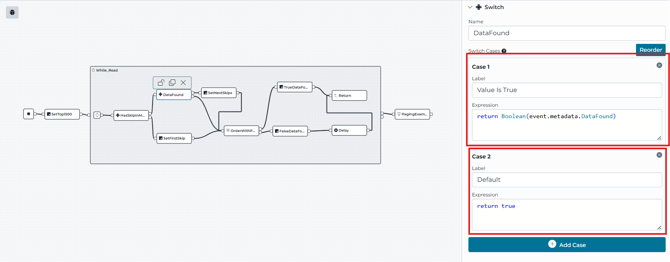
Why this matters: If you increment Skip after a failed read, you risk skipping data. This pattern prevents that by only moving forward once the page is successfully read.
Considerations and common pitfalls:
-
Offset paging can get slower with very large offsets. The database may do more work as Skip grows.
- New rows can shift the pages being read. If the source table changes during paging, offset paging can produce duplicates or missed rows depending on inserts/deletes.
- Accumulating every page increases memory use. If the result set can be huge, consider processing each page (transform/write) within the loop instead of something of accumulating everything and writing once
- Tune the top based on payload size and target limits. Bigger top reduces loop iterations but increases payload size/amount per page.
Other Related Material