
Introduction
Kubernetes (k8s) is a platform that readily schedules and manages containers, container networks, and related materials like storage. It is often used to provide rapid horizontal scaling, to restart crashed services, and to generally automatically orchestrate larger numbers of smaller assets. Where manufacturing data does not often experience surges, the Intelligence Hub does not generally benefit from horizontal scaling. But Kubernetes can be a beneficial platform for supporting high availability if it's already in place. K8s has built-in active/passive and load-balancing features, restarting features, and data persistence features that all support high availability without the need for additional tools.
HighByte has a High Availability mode that can leverage backup installations that sync with a primary over a postgres database. In the event that the primary installation fails, a backup may be selected from the pool to take its place, beginning automatically with all the synchronized configurations and data. When the primary comes back online, it will synchronize and then resume control from the backup. HighByte's own
Kubernetes is a complicated topic, and this article will not go into the setup for the entire k8s platform. Kind is a technology to run "Kubernetes in docker," and may be an acceptable installation or testing platform. This solution will assume that the user already has access to a Kubernetes cluster node and access to kubectl to interact with it.
Base Image
Note: The services available on port 45345 are being transitioned to port 8885. Please update your configuration to use port 8885, as port 45345 will be discontinued with v4.4+ of Intelligence Hub.
Kubernetes requires that applications be able to run in and start automatically from containers. HighByte provides a containerized deployment of Intelligence Hub, but to create an image that runs in High Availability mode, a knowledge base article is available here.
The remainder of this article will demonstrate the process for setting up High Availability Intelligence Hub in Kubernetes using the image produced by that article.
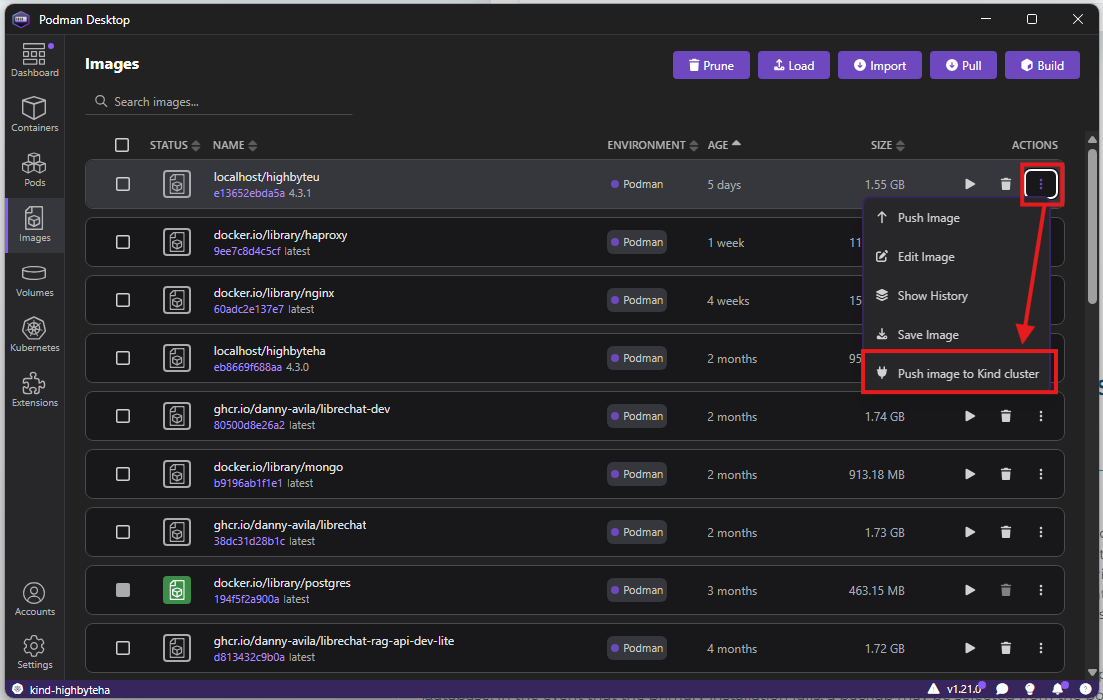
Upon creating this image, it must be pushed to a cluster before the cluster has access to it. The are several methods for this that depend on the cluster and node technology used. Some desktop container managers may also have a GUI tool that can make this simple under certain circumstances.
HighByte Installation
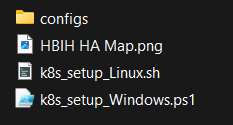
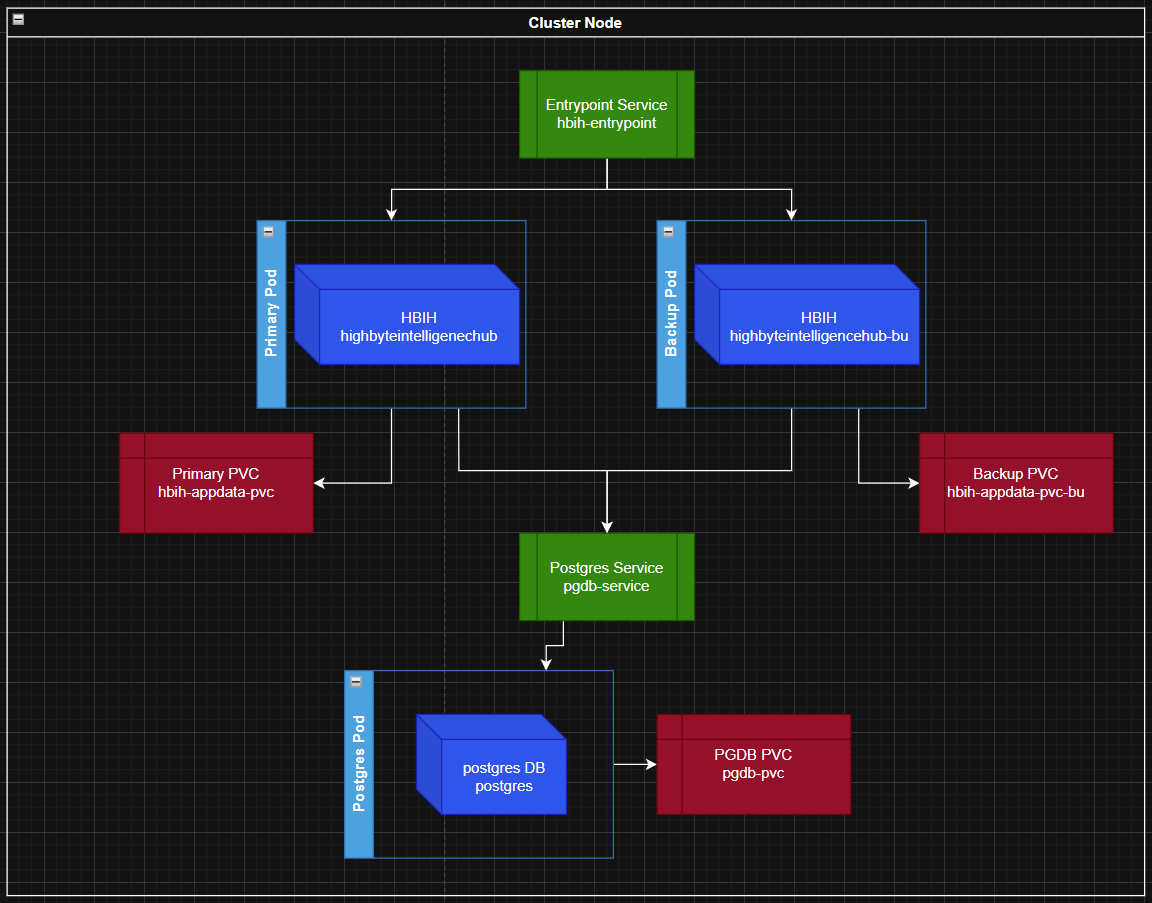
This process will install one instance of a Postgres database along with a persistent volume for its data, a service to reliably access Postgres, two instances of the Intelligence Hub each with its own persistent storage volume, and a service to route to the active Intelligence Hub instance. A package for installing this series of resources is available to download here. This package includes a series of configuration yaml files that define each resource, and a powershell or bash script to run the applications of these configurations. A diagram for how these resources will be connected is also included.
Installation Process
In High Availability mode, two instances cannot run on a single host without separate network namespaces.
Using containers or Kubernetes pods is one way to navigate this limitation.
Initiating k8s_setup script will begin the process of making resources. Waiting periods are included to ensure certain resources have time to initialize. These periods may need to be tuned for older or slower systems. This section will explain the significance of each step so that it may be adjusted if necessary. These scripts may also serve as command references to step through this process manually if desired.
First, three persistent volume claims (PVCs) are initialized by applying the PVC yaml config files with kubectl. By default, these are sized for 10 gigabytes. This is probably sufficient for most use cases, but consider your project's needs. This volume will hold the appData directory, and should be sized accordingly. These PVCs are not mounted immediately.
Next, the script uses kubectl to apply the yaml config to create the Postgres database deployment, waits five seconds, and uses kubectl to apply the yaml config for the Postgres service. Another 20-second wait time ensures that this deployment and service are in place for the Intelligence Hub deployments to properly access them.
In kubernetes, a deployment automatically makes pods (usually 1 container, though potentially multiple). Creating a deployment will allow the deployment to make the pods of containers. Services provide routing to pods - whose IP addresses can change between restarts.
The Postgres database should now be available and completely built. The script makes the first step to start Intelligence Hub by starting the first deployment of the primary. hub. The script uses kubectl to build this first deployment and then waits 20 seconds for the first pod to come online.
After the first pod is online, a somewhat complicated exchange takes place to duplicate the intelligencehub-certificatestore.pkcs12 file ("the pkcs12 file") from the primary hub to the backup. This has to be done to allow the hubs to exchange encrypted information, and it must be done before the second hub starts up. Because the container image starts Intelligence Hub immediately and automatically, the script will create a temporary pod that is used just to move the pkcs12 file into place. The script first gets the name of the pad from the primary deployment and then starts the pod "pvc-pod" using kubectl to apply a yaml config. This config yaml also mounts the backup pvc onto pvc-pod. After waiting another 10 seconds for pvc-pod to start, the script places a placeholder file in the backup pvc through pvc-pod, then copies the pkcs12 file from the primary deployment to the local machine and subsequently copies from the local machine into pvc-pod where the file will be needed for the backup deployment. The script then uses kubectl to add the correct user and transfer file permissions. With this done, the script cleans up by removing the locally-stored copy of the file, and deletes the temporary pvc-pod. Finally, the script applies the backup deployment config yaml using kubectl.
Lastly, after waiting 10 seconds for the backup deployment to finalize, the script applies a final yaml with kubectl to start up the entrypoint service. Users and inbound traffic will connect via the entrypoint service which will route traffic to the active Intelligence Hub pod.
Deployments Behavior
Postgres
The Postgres instance is the central communication point for the Intelligence Hub pods. A deployment ensures that a single pod for Postgres is always running - if this pod crashes for any reason, Kubernetes will restart a new pod to take its place via the deployment. The postgres service ensures a static access method to the postgres pod. The service will find the pod by app selector tag matching the selector match label of the deployment. If a pod crashes and restarts with a new IP address, the pod can still be found through the service. A persistent volume claim ensures data is persisted from one pod to the next.
Intelligence Hub
Intelligence hub deployments and PVCs work similarly to the Postgres instance. In this case, the PVC is not needed to store configuration, project, or state data - as these are all stored in the Postgres base - but the PVC is necessary to store the appData/intelligencehub-certificatestore.pkcs12 file to sync secrets, and the remainder of appData is stored incidentally.
Intelligence Hub deployments (primary and backup) each have a "readinessProbe" configured in their deployments. This http probe will check each hub's 'heartbeat' similarly to Redundancy mode. Only the active hub will have an active heartbeat endpoint, and the others will not be "Ready." The entrypoint service will not direct any traffic to the hubs that are not 'ready,' so only the active hub will receive traffic from the entrypoint service. A load-balancer / reverse-proxy is not necessary because this service manages that routing.
Health Check Endpoints
As of version 4.5.0, Intelligence Hub exposes dedicated health check endpoints on port 8885 for use with container orchestrators:
/v2/readyz — Returns 200 when the hub is ready to accept traffic. In an HA deployment, only the active hub returns 200.
/v2/livez — Returns 200 when the hub process is alive and responsive, regardless of HA role.
These can be used as Kubernetes readinessProbe and livenessProbe targets in place of (or alongside) the legacy v1/info heartbeat. For more detail, see theHealth Checks page in the User Guide.
If a hub crashes, Kubernetes should restart the pod by the deployment automatically. This actually happens quite rapidly, and the 'slow' portion of startup can become loading a large configuration file. It is very possible that a crashed primary hub can be restarted by Kubernetes and resume running before a backup hub can take over. However, if a configuration takes a long time to load, a primary hub crashes and doesn't restart, or the Intelligence Hub fails, but the underlying container doesn't crash, the backup installation will take over until the primary can recover.