
What Does This Article Cover?
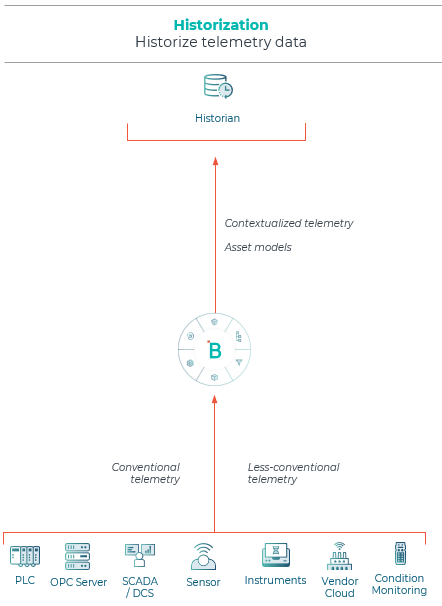
HighByte Intelligence Hub can be used to create a solution that obtains real-time values and writes the values to a historian software. HighByte refers to this scenario as "historization". For this solution, it is necessary to link the source data to the destination. This article summarizes a starter solution that obtains real-time data from KEPServerEX OPC UA Server and writes the data to AVEVA PI System Data Archive Historian. The solution maps OPC UA tag paths to PI Point Names.
Solution Assumptions
The following summarizes the assumptions related to the example solution.
- The scope of the starter solution includes hundreds of OPC UA tags and corresponding PI Points.
- Last values were obtained on change via an OPC UA subscription and there are hundreds of values changes per second for the in-scope OPC UA tags.
- The values were obtained from KEPServerEX and stored in AVEVA PI System Data Archive.
- The solution requires unique OPC UA tag paths to be related to PI Point Names. This association was made in a PostgreSQL database table.
Solution Summary
The following summarizes the design of the example solution.
- The in-scope OPC UA Tag paths and PI Point Names are stored in a PostgreSQL database table.
- The first step in creating the solution is to obtain the values for the in-scope OPC UA tags. The OPC UA tag paths might be obtained from a file, a database, or the OPC UA Server. In this case, the OPC UA tag paths were obtained from a database table using a PostgreSQL Connection Input. The query returned the list of in-scope OPC UA tag paths.
- Next, the Connection Input to obtain the OPC UA tag values can be configured. The Intelligence OPC UA Connection Tag Type Input was be used. The Connection Input that obtains the OPC UA tag paths can be used for the Reference of a Dynamic Template. Start with a small number of OPC UA tag paths and increase to optimize. The include metadata option needs to be enabled because the OPC UA timestamp will be written to PI Data Archive.
- The Intelligence Hub Pipeline design consists of an event trigger to obtain the OPC UA values with metadata and the Template data as parameters, a JavaScript to transform the payload, creating an array to enable efficient writes to PI Data Archive, and the write stage to write to PI Data Archive. The payload transformation is a bit complex because the OPC UA value needs to be assigned to the PI Point name.
- When optimizing the Pipeline, consider the volume of data being processed. It might not be possible to use the Replay capabilities due to the volume of data being processed.
- Note, when creating new PI Points consider the data being written at the time of creation and the desired data type.
- A project file may be downloaded [here].
Additional Resources