What this article covers:
- Download a 'For Each' configuration example
-
What the 'For Each stage does
- How looping works (return values, metadata, success/failure paths, stage timeout)
- A simple working example you can recreate
What is the For Each stage?
The 'For Each' stage takes an array as its incoming value, then processes each element in that array through a loop. For every element, you run one or more stages, then return a value for that iteration. When the loop completes, the stage collects the returned values into an output array while preserving the original array order.
In practice, this is how you handle "array-shaped work" in a pipeline, such as transforming a list of records one by one and emitting a final transformed list.
How the loop executes
1) Stage processing
-
The stage goes through each value in the array
2) Returning values
-
Use the Return stage to return a value during each loop cycle
- HighByte notes that each cycle of the For Loop must return a value
3) Metadata and loopIndex
-
During the loop, the metadata payload includes loopIndex, which indicates the index of the current iteration
4) Metadata chaining
-
'For Each' supports metadata chaining: if you return an updated metadata object along with a value, that updated metadata becomes available in the next cycle
5) Success and failure path
-
Success path: if all iterations complete successfully, the output and updated metadata continue down the success path.
- Failure path: if any iteration fails for reasons other than a timeout, the stage follows the failure path
- Even if a failure path is specified, it will not put the stage into an error state (unless the pipeline times out)
6) Stage Timeout
-
Stage Timeout defines the maximum time a stage can spend processing an event. If the timeout is reached before processing completes, the remaining operations are canceled.
The Return stage in a loop
In a 'For Each' loop, the Return stage is how you hand a result back for that iteration.
Separately, at the pipeline level, the Return stage is also used to send data back to the caller. If multiple events execute in parallel and write to Return stages, the pipeline collects returned values and sends them as a batch. If the pipeline execution ends in an error state, no values will be returned, and an error is reported.
Example: Loop over a 10-item array
The attached project shows an example 'For Each' loop:
-
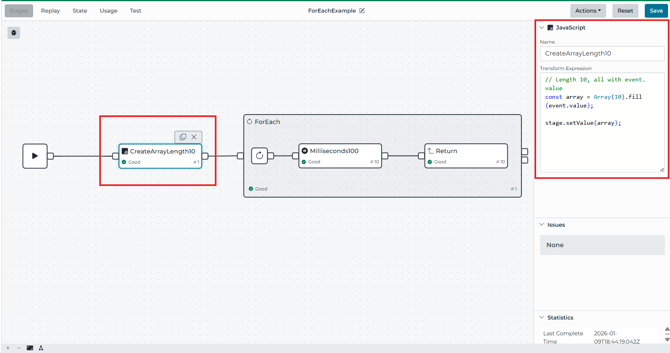
CreateArrayLength10 (JavaScript stage) creates an array of length 10 by filling each element with event.value
- 'For Each' loops over that array, with a Stage Timeout of 30 seconds, and routes each iteration through a child stage.
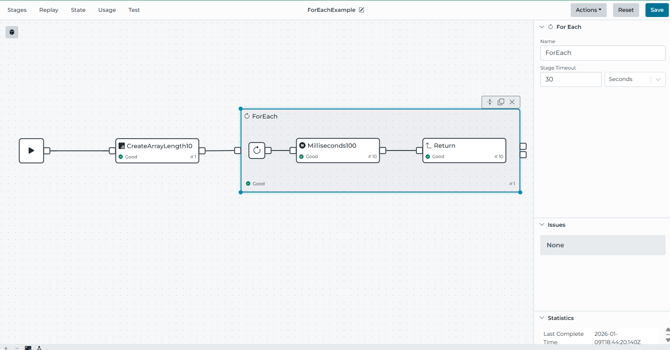
- Inside the loop
- Milliseconds100 delays for 100ms
- Return stages returns a value for that cycle
Loop Iteration metadata (metadata.LoopIndex)
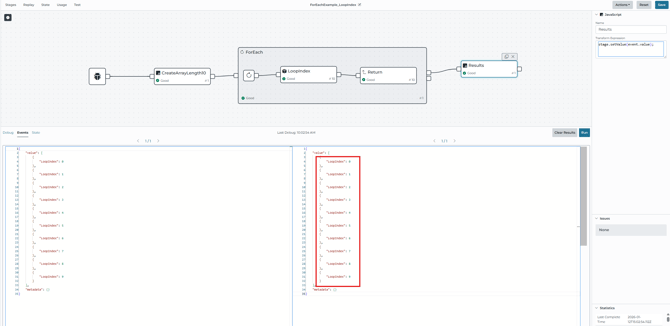
In the pipeline example metadata.LoopIndex, the pipeline starts the same way as the original
- Input stage creates an array of length 10 (CreateArrayLength10)
- For Each iterates the array and routes each iteration to the Model stage
- Model stage then maps the event.metadata.LoopIndex into a modeled payload attribute called Loop Index
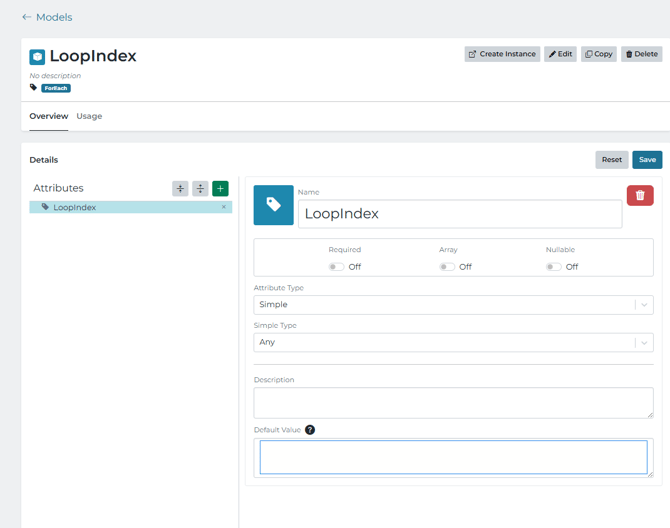
- The Return stage returns the modeled object after each run, so 'For Each' outputs an array of objects
- The Results stage makes it easy to see the outputs after the loops complete