What This Article is About
When using the Static template parameters, the Intelligence Hub does support numeric padding and chained parameter syntax.
If a zero-padded range does not format as expected in the Templates view, this article provides a practical workaround to split the range into smaller padded segments instead of using a long string.
Workaround example:
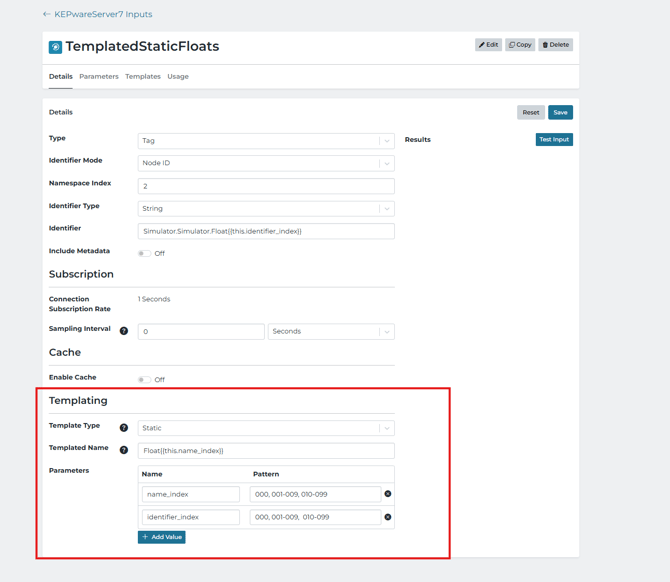
This keeps the values left-padded and makes it easier to verify that the generated objects continue as:
000, 001, ... 009, 010, 011, ... 099, ETC...
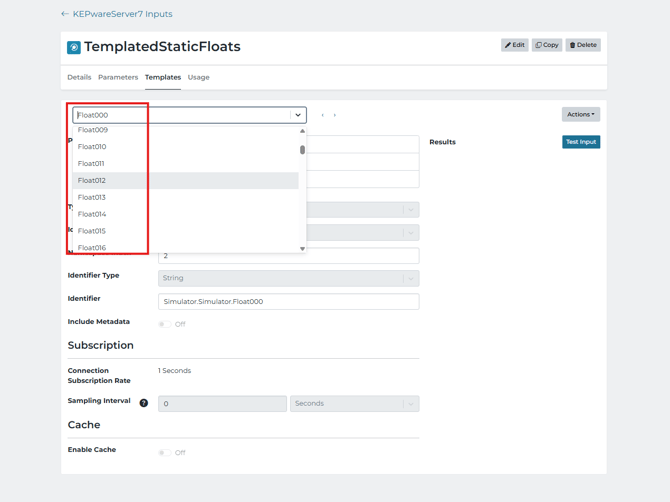
After saving this workaround, open the templates tab to double-check that the projected objects are being formatted in the expected order.